 NovaPlay Arcade
NovaPlay Arcade
NovaPlay Arcade

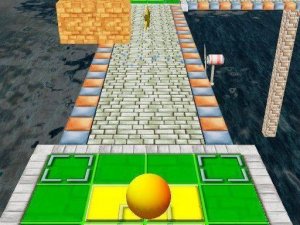
Super Brick Ball is a delightful puzzle arcade game that excels in simplicity and accessibility. The controls are intuitive, making it easy for anyone to start playing immediately. The gradual increase in difficulty keeps the game engaging without becoming frustrating. Its vibrant graphics and smooth performance on both mobile and desktop devices are standout features. Best of all, it's completely free with no downloads required, offering a relaxing and rewarding experience for players of all ages.
Super Brick Ball is a classic brick-breaking puzzle game that focuses on precision and timing. The core objective is to clear all colorful squares from the screen by launching a line of balls at them. With its simple premise and gradually increasing difficulty, it offers a relaxing yet engaging experience for players of all ages. The game runs smoothly in your browser on both mobile and desktop devices, making it accessible anytime. Its vibrant graphics and intuitive design ensure that anyone can pick it up and start playing without any hassle. Best of all, it is completely free to play, so you can enjoy the satisfying action immediately. The game provides a calm and rewarding challenge that appeals to both casual and dedicated players.
To play Super Brick Ball, you aim your device or mouse to direct the line of balls toward the colorful squares. Tap or click to launch the balls and watch them break through the blocks. Your goal is to clear all squares on the screen to advance to the next level. You can adjust your aim between shots to target specific areas. The game is designed for intuitive play, so no complicated instructions are needed. For a more immersive experience, you can switch to full screen mode. Play on your phone, tablet, or computer without any downloads, and enjoy the satisfying feedback as each brick shatters.
Super Brick Ball includes satisfying brick-breaking action with simple controls suitable for all ages. It is free to play with no downloads required, and it is compatible with mobile and desktop devices. The game offers a full screen mode for an immersive experience. As a puzzle arcade game, it typically includes multiple levels with gradually increasing difficulty, providing a calm yet engaging challenge.
To succeed in Super Brick Ball, practice your aim and timing to hit the most effective spots. Try to target clusters of bricks to clear them efficiently. As the levels get harder, take your time to aim carefully before each shot. Experiment with different angles to reach hard-to-hit areas. Regular practice will help you improve your accuracy and progress further in the game.



Player Comments
Sign in to comment
You must be logged in before posting a review or rating.
No account? Create one
No comments yet. Be the first to comment!