HMS Relentless Puzzler Puzzle Game
Reviews
💡HMS Relentless Puzzler stands out with its retro art style and interactive environment. The puzzles require careful observation and creative thinking, and the ability to rotate the ship adds a fresh layer of challenge. It is easy to pick up and offers good replay value for those who enjoy exploring every detail. A solid choice for puzzle fans.
Description
Game Introduction
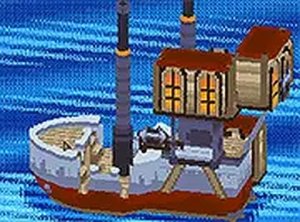
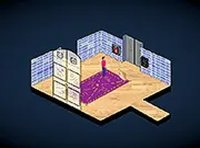
HMS Relentless Puzzler is a charming retro puzzle game that invites players on a whimsical journey aboard a boat sailing across a vast blue ocean. The game challenges you to solve a series of interactive puzzles by opening windows, turning on lights, and engaging with every element around you. As you progress, you need to rotate the ship regularly to access different areas, adding a unique twist to the puzzle-solving experience. Designed for desktop play, this game offers a nostalgic feel with modern interactive mechanics. It is completely free to play, making it accessible to everyone looking for a fun and engaging brain teaser.
How to Play
To play HMS Relentless Puzzler, use your mouse to interact with the game world. Click and drag various elements of the ship when the cursor indicates it is possible. You can also hold down the mouse button at the edges of the screen—left, right, top, and bottom—to rotate the ship and discover new areas. The key is to explore every nook and cranny, as puzzles require you to think creatively and interact with your surroundings. The game is straightforward but offers a satisfying challenge for puzzle enthusiasts. Play it directly in your browser, and enjoy a full-screen mode for a more immersive experience.
Game Features
Retro puzzle adventure with interactive ship exploration. Unique rotation mechanic to access different areas. Free to play with no downloads required. Full-screen mode for an immersive experience. Suitable for players of all ages.
Tips for Success
To succeed in HMS Relentless Puzzler, take your time to explore every part of the ship thoroughly. Puzzles often require you to interact with multiple elements in a specific order, so try clicking on everything you see. Use the rotation mechanic frequently to reveal hidden areas or objects. If you get stuck, step back and consider what might be connected—sometimes the solution is simpler than it seems. Practice patience and enjoy the journey.
Compatibility
Faq
Is HMS Relentless Puzzler available on mobile devices?
Do I need to create an account to play?
How long does it take to complete the game?
Are there any in-game purchases or ads?
Can I play with friends or other players online?
What should I do if I encounter a bug or issue?
Other Similar Games
Sea Treasure Match 3 Puzzle
Sea Treasure Match 3 Puzzle

Ooze Odyssey 2 Puzzle Game
Ooze Odyssey 2 Puzzle Game

Word Pop Puzzle
Word Pop Puzzle

3D Animal Sliding Puzzle
3D Animal Sliding Puzzle
Minecraft Differences Puzzle Game
Minecraft Differences Puzzle Game

Ordinary Room Escape Puzzle Game
Ordinary Room Escape Puzzle Game
Lost Awakening Chapter 2 Puzzle Adventure
Lost Awakening Chapter 2 Puzzle Adventure

Kids Sun Observation Puzzle
Kids Sun Observation Puzzle