 NovaPlay Arcade
NovaPlay Arcade
NovaPlay Arcade
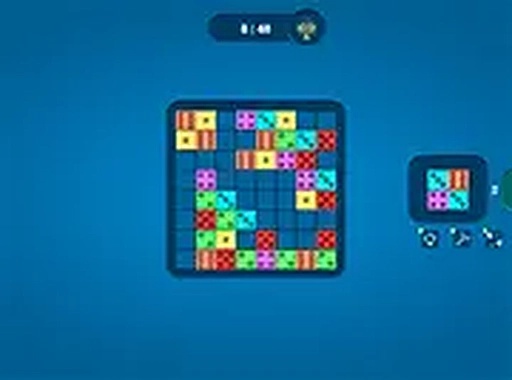
Dice Shape Puzzle Game successfully blends classic puzzle mechanics with dice-shaped tiles, creating a fresh challenge. The two modes provide variety, and the increasing difficulty keeps players engaged. The controls are smooth, and the game runs flawlessly in a browser. It is a great choice for casual puzzle enthusiasts.
Dice Shape Puzzle Game is a browser-based puzzle game that combines classic tile-matching mechanics with dice-shaped pieces. The core objective is to arrange these dice shapes on a grid to complete full horizontal lines, which then disappear and award points. This twist adds an element of strategy and unpredictability, making each move a thoughtful decision. The game offers two modes: normal mode with structured levels and specific objectives, and endless mode where you play until the board fills up. With vibrant 2D graphics and smooth controls, Dice Shape Puzzle Game is accessible for players of all ages and runs directly in your browser with no downloads needed.
Players typically use their mouse or touchscreen to drag and drop dice-based shapes onto the game board. The main goal is to arrange these shapes to complete horizontal lines, which then disappear and earn points. The game starts with simple shapes and gradually introduces more complex dice patterns, requiring careful planning and foresight. In normal mode, you progress through levels with specific goals, while endless mode lets you play until the board is full. Pay attention to upcoming shapes and use the grid wisely to maximize line clears. The controls are intuitive, making it easy to learn for new players while offering depth for experienced puzzle fans.
Dice Shape Puzzle Game includes several features that enhance the gameplay. It offers two distinct modes: normal mode with structured levels and objectives, and endless mode for continuous play. The unique dice-based shapes add a strategic twist to classic puzzle mechanics. The game features increasing difficulty, keeping the experience engaging as you progress. Smooth 2D gameplay ensures a responsive experience, and the game is playable directly in your browser without any downloads or installations. Full screen mode is also available for a more immersive experience.
To succeed in Dice Shape Puzzle Game, practice regularly to become familiar with the dice shapes and their rotations. Plan your moves ahead by looking at the upcoming shapes and anticipating how they will fit on the grid. Try to keep the board as clear as possible to avoid running out of space. In normal mode, focus on completing level objectives efficiently. In endless mode, aim for longer play sessions by making strategic placements. Don't be afraid to experiment with different placements to find the most effective strategies. With patience and practice, you can improve your scores and enjoy the game more.







Player Comments
Sign in to comment
You must be logged in before posting a review or rating.
No account? Create one
No comments yet. Be the first to comment!