Snecko Snake Arcade Game
Reviews
💡Classic Snecko Snake Game delivers a polished version of the classic snake concept. The pixel graphics are charming and easy on the eyes. Controls are responsive on both keyboard and touch. The difficulty ramps up naturally as your snake grows, encouraging careful planning. The high score system adds replay value. It is a solid choice for casual gaming sessions.
Description
Game Introduction
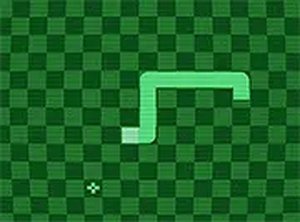
Classic Snecko Snake Game Arcade Game is a charming arcade title that brings back the feel of retro pixel gaming. You control a small snake moving across a grid. The goal is to eat pixel food that appears randomly. Each piece of food makes your snake longer and increases your score. The challenge grows as your snake gets longer, making it harder to move without hitting a wall or your own body. The game ends when you crash. Your final score is shown, and you can restart to try for a higher score. This game runs smoothly in your browser on desktop and mobile devices. No download is needed. You can also play in full screen mode for a more focused experience. Classic Snecko is a great choice for quick play sessions or longer gaming time.
How to Play
Use the arrow keys on your keyboard to change the snake's direction. On mobile devices, swipe on the screen to guide the snake. The snake moves continuously in the current direction. Your task is to steer it toward the pixel food. Eating food makes the snake grow longer and adds to your score. Avoid hitting the walls around the playing area. Also avoid running into your own snake's body. Both will end the game. The game continues until you crash. After the game ends, your score is displayed. You can restart at any time to try for a new high score. The controls are responsive and easy to learn.
Game Features
Classic snake gameplay with pixel graphics. Growing difficulty as the snake gets longer. High score system to track your best results. Supports both desktop and mobile devices. Full screen mode for an immersive experience. Simple controls that are easy to pick up.
Tips for Success
Plan your moves ahead to avoid trapping yourself as the snake grows longer. Focus on eating food near open areas to maintain maneuverability. Practice controlling the snake's speed and direction to improve reflexes. Use the full screen mode to minimize distractions and enhance focus. Try to keep the snake's body compact to reduce the risk of collisions. Restart after a crash to quickly learn from mistakes and aim for a higher score.
Compatibility
Faq
Is Classic Snecko Snake Game free to play?
Can I play this game offline?
Does the game have sound effects or music?
How do I restart the game after crashing?
Is there a time limit for each game session?
Can I share my high score with friends?
Other Similar Games
Halloween Jewels Match 3
Halloween Jewels Match 3
Space Shooting 2D Arcade Game
Space Shooting 2D Arcade Game
Mahjongg Valentine Puzzle Game
Mahjongg Valentine Puzzle Game
Pearls of Atlantis Puzzle
Pearls of Atlantis Puzzle
Chess Mix Party Arcade
Chess Mix Party Arcade
Caribbean Slide Mahjong Puzzle
Caribbean Slide Mahjong Puzzle
Colorful Golf Arcade
Colorful Golf Arcade
Animals Hidden Alphawords Puzzle
Animals Hidden Alphawords Puzzle