 NovaPlay Arcade
NovaPlay Arcade
NovaPlay Arcade
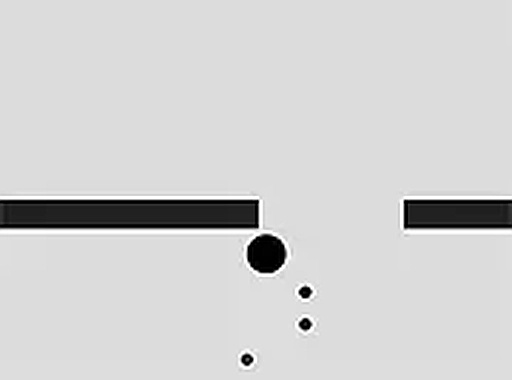
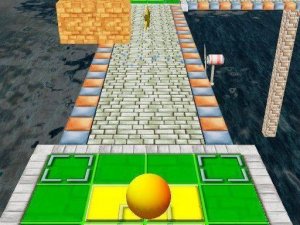
Zig Zag Ball Reflex Arcade offers a clean, minimalist design that lets the gameplay shine. The one-tap control is easy to learn but hard to master as the speed ramps up. It is perfect for short bursts of play, and the endless format encourages replayability to beat your own high score. The game runs smoothly with no distractions.
Zig Zag Ball Reflex Arcade is an online skill game where players guide a ball moving forward along a narrow platform. The core objective is to keep the ball on the path by tapping to change its direction at the right moment. Each tap flips the ball's angle, creating a continuous zigzag movement that requires careful timing and focus. The platform is narrow, and the ball will fall off if you mistime your taps. As you progress, the speed increases, making each decision more critical. The game offers endless gameplay, so every session is a new challenge to beat your personal best. With its clean visuals and straightforward mechanics, it is a perfect choice for players who enjoy skill-based arcade games.
To start playing, load the game in your browser. It is designed for desktop use. Use your mouse or keyboard to control the ball. Click or tap on the screen to make the ball change direction. The ball moves forward automatically, and your task is to keep it on the platform by switching direction at the right moments. Each tap flips the ball's angle, so you must plan your moves carefully to stay on the path. The game ends when the ball falls off the edge. Your score increases the longer you keep the ball on the platform. For a better experience, you can play in full screen mode. The game is free to play and works best on computers.
Simple one-tap controls make it easy to start playing. Endless gameplay provides a new challenge each time. Increasing difficulty keeps the game engaging as your reflexes improve. Clean graphics and smooth performance ensure a distraction-free experience. The game is free to play online with no downloads required.
To improve your performance, focus on timing your taps precisely rather than rushing. Practice regularly to build muscle memory for the rhythm of direction changes. Stay calm as the speed increases, and try to anticipate upcoming turns. Short practice sessions can help you learn the game's pace without fatigue. Remember that each session is independent, so you can always start fresh and try a new strategy.
Player Comments
Sign in to comment
You must be logged in before posting a review or rating.
No account? Create one
No comments yet. Be the first to comment!