 NovaPlay Arcade
NovaPlay Arcade
NovaPlay Arcade
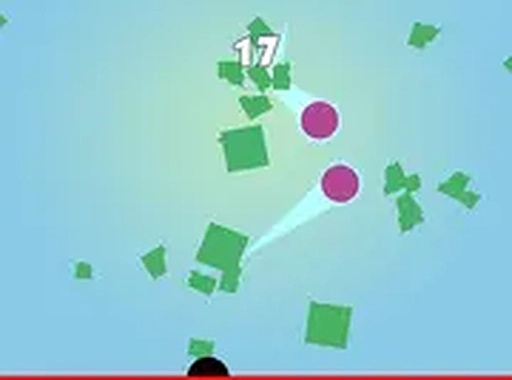
RedLine Pong is a clean, free browser game that delivers classic paddle ball fun with a modern twist. The one-tap controls are easy to learn, and the increasing number of balls keeps the challenge fresh. It is perfect for quick breaks or longer sessions, and the full screen mode adds immersion. A great choice for casual gamers looking to improve their hand-eye coordination.
RedLine Pong is a straightforward and engaging skill game that puts a fresh spin on classic paddle ball gameplay. Instead of breaking a wall of bricks, your task is to hit falling shapes with a paddle controlled by your mouse. The game starts simple but quickly becomes challenging as more balls appear. It is a one-tap, easy-to-learn experience that keeps you coming back for more. Best of all, RedLine Pong is completely free to play, running directly in your browser with no downloads needed. You can also enjoy it in full screen mode for a more immersive session. Whether you are a casual gamer or a fan of ball games, RedLine Pong offers endless fun and a chance to beat your own high score.
Playing RedLine Pong is simple and intuitive. All you need is your mouse. Move the paddle left and right to hit the ball as it falls from the top of the screen. Each successful hit sends the ball back up, and your score increases. The game gets harder as more balls are introduced, so you must stay focused and react quickly. The goal is to prevent any ball from touching the bottom. There are no complex controls or instructions. Just move your mouse and keep the balls in play. It is a perfect game for quick breaks or longer sessions, and it works best on desktop computers using a keyboard or mouse.
Game features include simple one-tap controls that are easy for anyone to pick up. The difficulty increases gradually as more balls appear, keeping the challenge fresh. You can track your high score and try to beat it each time you play. The game runs smoothly in any modern browser without plugins or downloads. Full screen mode is available for a more focused experience.
To succeed in RedLine Pong, stay calm and keep your paddle centered to react quickly to falling balls. Practice your timing to make clean hits and avoid frantic movements. As more balls appear, prioritize the ones closest to the bottom. Regular play will improve your reflexes and help you achieve higher scores.

Player Comments
Sign in to comment
You must be logged in before posting a review or rating.
No account? Create one
No comments yet. Be the first to comment!