 NovaPlay Arcade
NovaPlay Arcade
NovaPlay Arcade
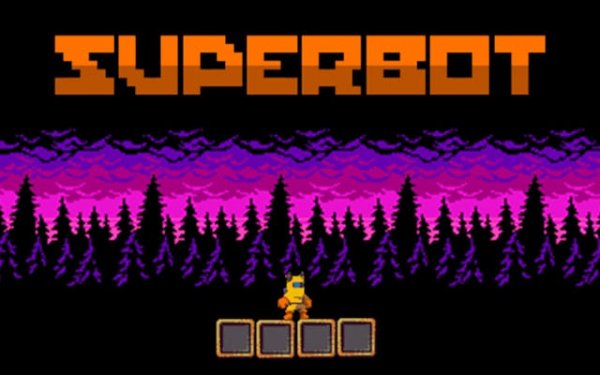
Spark Runner succeeds in creating a welcoming platforming experience that prioritizes discovery and gentle challenge. The controls are responsive across devices, and the level design encourages thorough exploration without punishing failure. The absence of violence and the cheerful visual style make it a standout choice for parents seeking quality screen time for their children. While seasoned platformer veterans might find the difficulty too mild, the hidden collectibles and secret paths provide enough incentive to revisit stages. It is a well-crafted, family-oriented game that delivers exactly what it promises.
Spark Runner places you in control of a nimble robot character moving through a series of handcrafted stages. Each level presents a mix of platforms, gaps, and obstacles that require precise jumps and careful timing. The primary goal is to gather all the glowing gems scattered around the environment while locating special power-ups that unlock hidden sections. These power-ups might grant temporary abilities or open new routes, encouraging thorough exploration. The challenge comes from navigating tricky terrain and deciding when to use limited resources to reach every collectible.
The game offers straightforward controls that work across different devices. On a computer, the keyboard arrow keys handle movement and jumping. On tablets or phones, touch controls appear on screen, letting you tap or swipe to guide the robot. This design makes the game accessible to younger players and those new to platformers, while still offering enough depth for experienced gamers who want to collect everything. The responsive controls ensure that precise movements are possible, which is important for reaching hidden areas.
The levels feature bright, cheerful colors with a clean art style that avoids clutter. Each stage has its own theme, with backgrounds and obstacles that change as you progress. The robot character has a friendly appearance, and the blocking creatures are designed to look playful rather than threatening. When the robot uses its energy pulse to move a creature, the animation is soft and non-violent. This visual approach creates a relaxed atmosphere suitable for family play, where the focus is on exploration and problem-solving rather than conflict.
Completing a level requires collecting a certain number of gems, but finding all of them and accessing every hidden area is a greater challenge. Many stages contain secret paths that are easy to miss on a first playthrough. This encourages replaying levels to discover new routes and improve your score. The game does not have a strict time limit, so players can take their time to explore. This design supports a gradual learning curve, where each subsequent level introduces slightly more complex platform arrangements and hidden areas to find.
Spark Runner is built around the idea of providing a positive experience for players of all ages. There is no violence, no frightening elements, and no complex mechanics that would frustrate younger children. The gentle challenge comes from navigating platforms and solving simple spatial puzzles to reach collectibles. The game also works well for shared play, where an adult and child can take turns or discuss strategies for finding hidden items. This makes it a suitable choice for family gaming time on a single device.




Player Comments
Sign in to comment
You must be logged in before posting a review or rating.
No account? Create one
No comments yet. Be the first to comment!