 NovaPlay Arcade
NovaPlay Arcade
NovaPlay Arcade
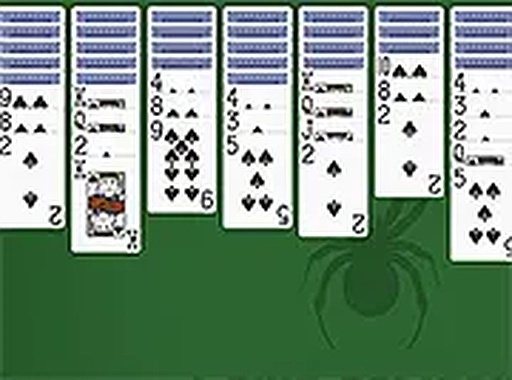
Spider Solitaire One Suit offers a refreshing take on the classic card game. By using only spades, it removes the frustration of managing multiple suits while retaining the core challenge of building descending sequences. The browser-based play is seamless, and the clean interface makes it easy to focus on strategy. Ideal for both beginners and seasoned players looking for a relaxing yet engaging puzzle.
Spider Solitaire One Suit is a card game that offers a streamlined version of the traditional Spider Solitaire experience. It uses only one suit of spades, which reduces complexity while maintaining the strategic depth that solitaire fans enjoy. The core objective is to arrange all cards in descending order from king to ace within the tableau, with completed sequences being automatically removed. This single-suit format makes the game more accessible for newcomers while still offering a satisfying challenge for experienced players. It runs directly in your browser with no downloads required, allowing you to start a game instantly.
Players begin by examining the tableau of ten columns. The goal is to build descending sequences of cards from king to ace within a single column. You can move any card or a sequence of cards in descending order to another column. When a complete king-to-ace sequence is formed, it is removed from play. If you run out of moves, you can draw a new row of cards from the stock pile. The game ends when all cards are cleared or no further moves are possible. The simple rules make it easy to learn but provide enough depth for repeated play.
Classic spider solitaire rules adapted for one suit. Suitable for all ages. Free to play online with no download required. Full screen mode is available. The interface is clean and intuitive, making it easy to navigate. The game is designed to run smoothly in your browser, so you can play anytime without installing software. The single-suit format means fewer obstacles and a more straightforward path to victory, encouraging logical thinking and patience.
Focus on uncovering face-down cards as early as possible to open up more moves. Try to keep columns as balanced as possible to avoid getting stuck. Use the stock pile wisely, drawing new cards only when you have exhausted other moves. Plan several moves ahead, especially when moving sequences. Practice regularly to improve your ability to spot optimal moves. Remember that patience and careful observation are key to mastering the game.








Player Comments
Sign in to comment
You must be logged in before posting a review or rating.
No account? Create one
No comments yet. Be the first to comment!