Intune Rally Rhythm Game

Intune Rally Rhythm Game

Developer: Astral Pixel Studio
Published: 2024-03-29
Updated: 2026-06-27
Fun Challenging

Reviews

Intune Rally Rhythm Game offers a clean, browser-based music experience that focuses on timing and accuracy. The five songs each have a distinct tempo, providing a good variety of challenges. Controls are straightforward, making it easy for newcomers to pick up. The full-screen mode helps with immersion, and the lack of downloads or accounts is a plus. A solid choice for casual rhythm game fans.

About this game

Game Introduction

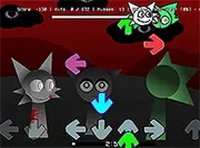
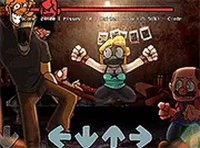
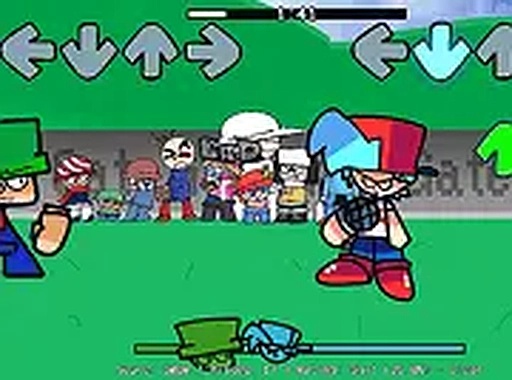
Intune Rally Rhythm Game is a browser-based music experience that expands on the classic note-matching gameplay found in popular rhythm titles. Players take on the role of a performer engaged in friendly musical duels, where the goal is to press keys in time with the beat to outperform an opponent. The game introduces five original songs, each with its own tempo and style, providing a fresh challenge for fans of the genre. Designed to be family-friendly, the focus is entirely on timing and accuracy rather than any mature themes. The game runs directly in a web browser, requiring no downloads or installations, making it easy for anyone to start playing immediately.

How to Play

To play Intune Rally Rhythm Game, players use their keyboard arrow keys to match notes that scroll horizontally across the screen. Each note must be pressed as it reaches a target area to keep the music playing and earn points. The game is optimized for desktop use, so a keyboard is recommended. Players can adjust volume and other settings from the main menu. The objective is to complete each track without missing too many notes, building a streak to maximize the final score. A full-screen option is available for a more focused experience.

Game Features

Intune Rally Rhythm Game includes five new songs with distinct rhythms that challenge timing skills. Simple arrow key controls make it easy to start playing immediately. A full-screen mode provides an immersive experience. The game is free and runs in any modern browser without requiring downloads or account creation. The content is family-friendly with no violence or inappropriate themes, making it suitable for players of all ages.

Tips for Success

Practice each song individually to learn its unique rhythm and note patterns. Start with slower songs to build timing, then gradually take on faster tracks. Focus on accuracy over speed—missing fewer notes consistently will improve overall score. Use full-screen mode to minimize distractions. If a section feels difficult, try tapping a foot along with the beat to stay in sync. Regular practice helps master timing and achieve higher scores.

✅ Compatibility & Testing

• Desktop (Windows 11, macOS Ventura)
• Mobile (iPhone 14, Samsung Galaxy S23)
• Tablet (iPad Pro, Android tablet)
✅Supported browsers: Chrome, Safari, Edge, Firefox (latest versions)
❌ Not supported: Internet Explorer, older browser versions

Faq

Can I play Intune Rally Rhythm Game on a mobile device?
The game is optimized for desktop use with a keyboard. While it may load in a mobile browser, the arrow key controls are designed for a physical keyboard, so mobile touchscreens may not provide the best experience.
Do I need to create an account to save my progress?
No account creation is required. The game runs entirely in your browser without saving progress. Each session starts fresh, so you can play as many times as you like without any registration.
Is there a practice mode for learning the songs?
The game includes a menu where you can select individual songs. This allows you to practice each track separately at your own pace, helping you learn the note patterns before attempting a full run.
How many difficulty levels are available?
The input does not specify difficulty levels. The challenge comes from the varying tempos and note patterns of the five songs. Some songs may feel faster or more complex than others, offering a natural progression.
Can I play with friends or against other players online?
The game is a single-player experience based on the input. There is no mention of multiplayer or online competition. The focus is on improving your own timing and accuracy against the in-game opponent.
What happens if I miss too many notes?
Missing too many notes will cause the song to end prematurely. The game tracks your streak of consecutive correct notes, so maintaining accuracy is key to completing each track and achieving a high score.

Similiar Product

Fruit Merge Puzzle Challenge

Puzzle Strategy Casual

A calm and engaging puzzle game with simple mechanics and colorful visuals. Perfect for relaxing breaks.

PLAY NOW

Shadow Rescue Stealth Puzzle

Fun Challenging

A tense stealth puzzle game that rewards patience and careful movement in a creepy village setting.

PLAY NOW

Santa Balance Challenge Arcade Game

Fun Arcade

A delightful holiday arcade game with simple controls and increasing challenge. Perfect for quick festive fun.

PLAY NOW

Sprunki OneShot Music Challenge

Fun Arcade Music

A fun, free rhythm game with catchy tunes and precise timing. Great for quick music challenges.

PLAY NOW

Shucks Rhythm Arcade

Fun Exciting

A catchy fan-made rhythm game with a great song and simple controls. Perfect for quick, fun sessions.

PLAY NOW

Puppet Rap Rhythm Game

Fun Music Rhythm

A delightful rhythm game with cute puppet characters and catchy rap music that is fun for all ages.

PLAY NOW

Cotton Candy Maker Fun Game

Fun Creative

A relaxing, creative game for all ages with colorful graphics and simple controls.

PLAY NOW

Sprunki Red Music Mixing Game

Fun Creative

A creative and relaxing music mixer that encourages experimentation. Perfect for quick creative breaks.

PLAY NOW