Popcorn Burst Arcade Game
Reviews
💡Popcorn Burst delivers a straightforward arcade experience that is easy to start and hard to put down. The concept of catching popcorn in a bucket is intuitive, and the gradual increase in speed keeps the gameplay fresh. Each level feels like a small puzzle of timing and positioning. The game runs smoothly in the browser without any lag. It is a perfect choice for a short mental break or a longer session. The lack of ads or distractions makes it a pleasant experience. While the core loop is simple, the challenge of beating your previous level keeps you engaged. It is a well-made game that respects the player's time and attention.
Description
Game Introduction
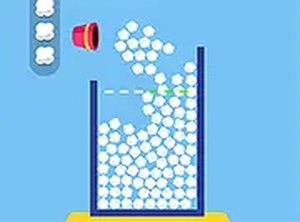
Popcorn Burst Online Arcade Game turns a simple kitchen moment into a playful online challenge. When popcorn pops, kernels often jump out of the pot and scatter across the counter. In this game, you take on the role of a quick-handed helper. Your task is to catch every piece of popcorn in a bucket. The game starts slowly, letting you get used to the controls. As you progress, the speed increases and more popcorn appears. The challenge is to keep the bucket positioned correctly so no popcorn escapes. The game ends if any popcorn falls off the sides. This simple concept makes Popcorn Burst easy to learn but hard to master. It is suitable for children and adults alike. The game runs directly in your browser without any downloads. You can also switch to full screen mode for a more focused experience.
How to Play
Playing Popcorn Burst is straightforward. Use your mouse or touch screen to move the bucket left and right. Popcorn pieces pop up from the bottom of the screen. You must position the bucket directly under each piece to catch it. If popcorn falls off the left or right edge, the game ends. Each level increases the number of popcorn pieces and their speed. The goal is to catch all popcorn in a level to advance. The controls are responsive and intuitive. You can play on a computer, tablet, or phone. The game saves your progress automatically in your browser. There are no complicated rules or instructions to remember. Just move the bucket and catch the popcorn.
Game Features
Fun popcorn-catching gameplay for all ages. Levels become progressively harder, offering a steady challenge. The game runs in any modern browser with no downloads. Full screen mode is available for a more immersive experience. Simple controls make it easy for anyone to pick up and play. The bright and clean visuals keep the focus on the action.
Tips for Success
To succeed in Popcorn Burst, practice regularly to improve your reaction time. Focus on the center of the screen to anticipate where popcorn will appear. Stay calm as speed increases—panicking can lead to missed catches. Use smooth, controlled movements rather than jerky motions. Take short breaks between levels to maintain focus. Since the game saves progress, you can return anytime to practice harder levels.
Compatibility
Faq
Can I play Popcorn Burst on my phone?
Does the game require an internet connection?
Is there a time limit for each level?
Can I play Popcorn Burst with a keyboard?
What happens if I close the browser mid-game?
Is there a score or leaderboard in Popcorn Burst?
Other Similar Games
Super Mega Memory Match Puzzle
Super Mega Memory Match Puzzle

Santa Drop Physics Puzzle
Santa Drop Physics Puzzle

Snake 2 Arcade Game
Snake 2 Arcade Game
Kogama Spooky Parkour Platformer
Kogama Spooky Parkour Platformer
Make the Cube 3D Puzzle
Make the Cube 3D Puzzle
Forest Fruit Match Puzzle Game
Forest Fruit Match Puzzle Game

Smileys Emotion Collection Puzzle
Smileys Emotion Collection Puzzle
Fling Knight Arcade Game
Fling Knight Arcade Game